What is the difference between a Team folder and a Team channel?
A Team folder shares sources: an admin collects feeds, and everyone who follows the folder gets every new article from them. A Team channel shares single articles: members post the ones worth discussing with Share with Team, add a note and comment, and only the channel's members see them.
Folders are where the Team reads, and channels are where it talks about what it read.
Team folders
A Team folder is a set of feeds. Following it subscribes you to all of them, and your copy follows the admin's changes: a feed added later reaches you, a removed one leaves. Team admins create and edit Team folders, and any member can follow or unfollow one. What are Team folders? has the details.
Team channels
A Team channel holds the articles its members share into it, with their notes and comments. Each channel has its own member list: an admin of the Team or of the channel adds people with Invite members, and members can't join on their own, only Leave channel. Only channel members see the channel's articles and comments. What is a Team channel? describes channels in full.
To share an article, click Share with Team in the article toolbar or press S, pick the channels you belong to under Select channel and add a note. Stop sharing takes the article back. How do I share an article with my Team? walks through it.
In a channel's ⋯ menu you choose your own notifications, New shared article and Comments. A channel can also post to Slack or Microsoft Teams and export its articles as a feed under Output feeds.
Deleting a channel deletes it and all the articles it contains for every Team member.
Find them in the Team sidebar
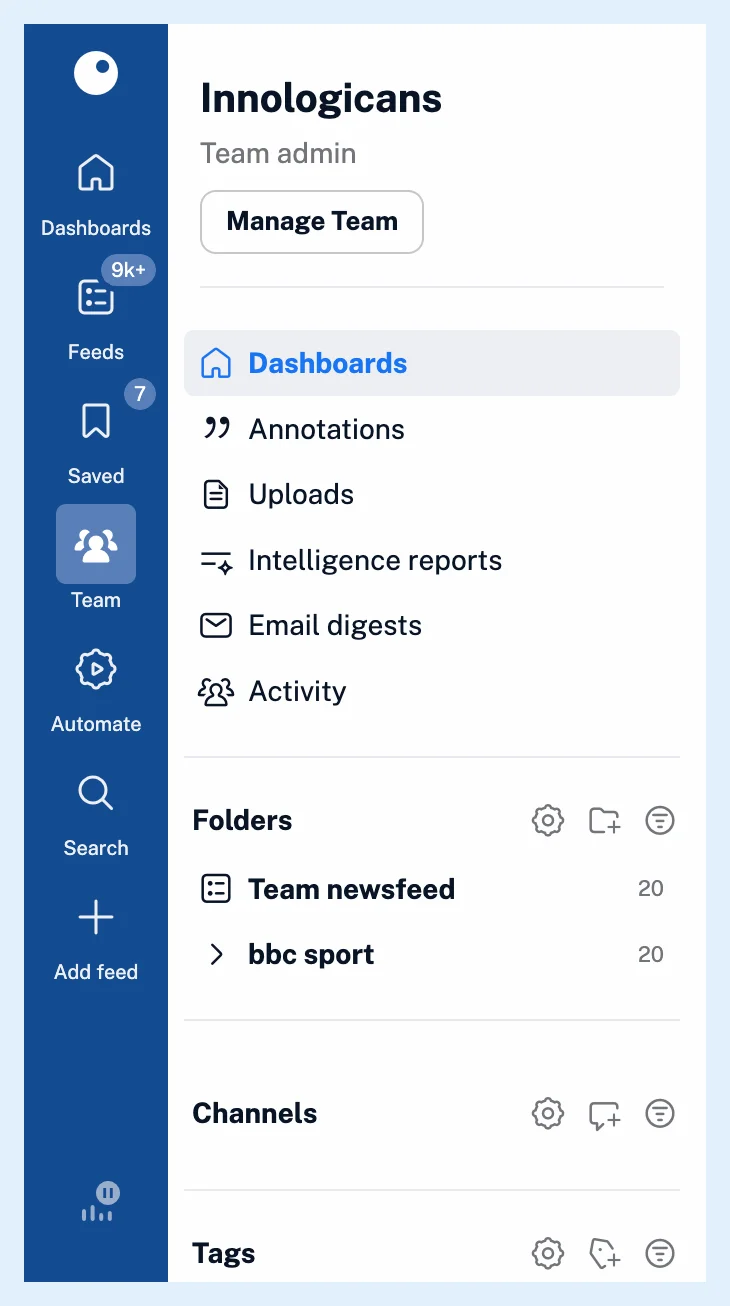
The Team folders you follow sit under Folders, with Team newsfeed above them, and your channels sit under Channels. A Team dashboard has a widget for each: New articles in Team folder and New articles in Team channel.
Channels are also different from Team tags, which What's the difference between Team channels and Team tags? compares.
Plans
Team folders and Team channels are part of Teams on the Team and Team Intelligence plans.
Can't find an answer? Contact support