Can I follow coverage of a mention?
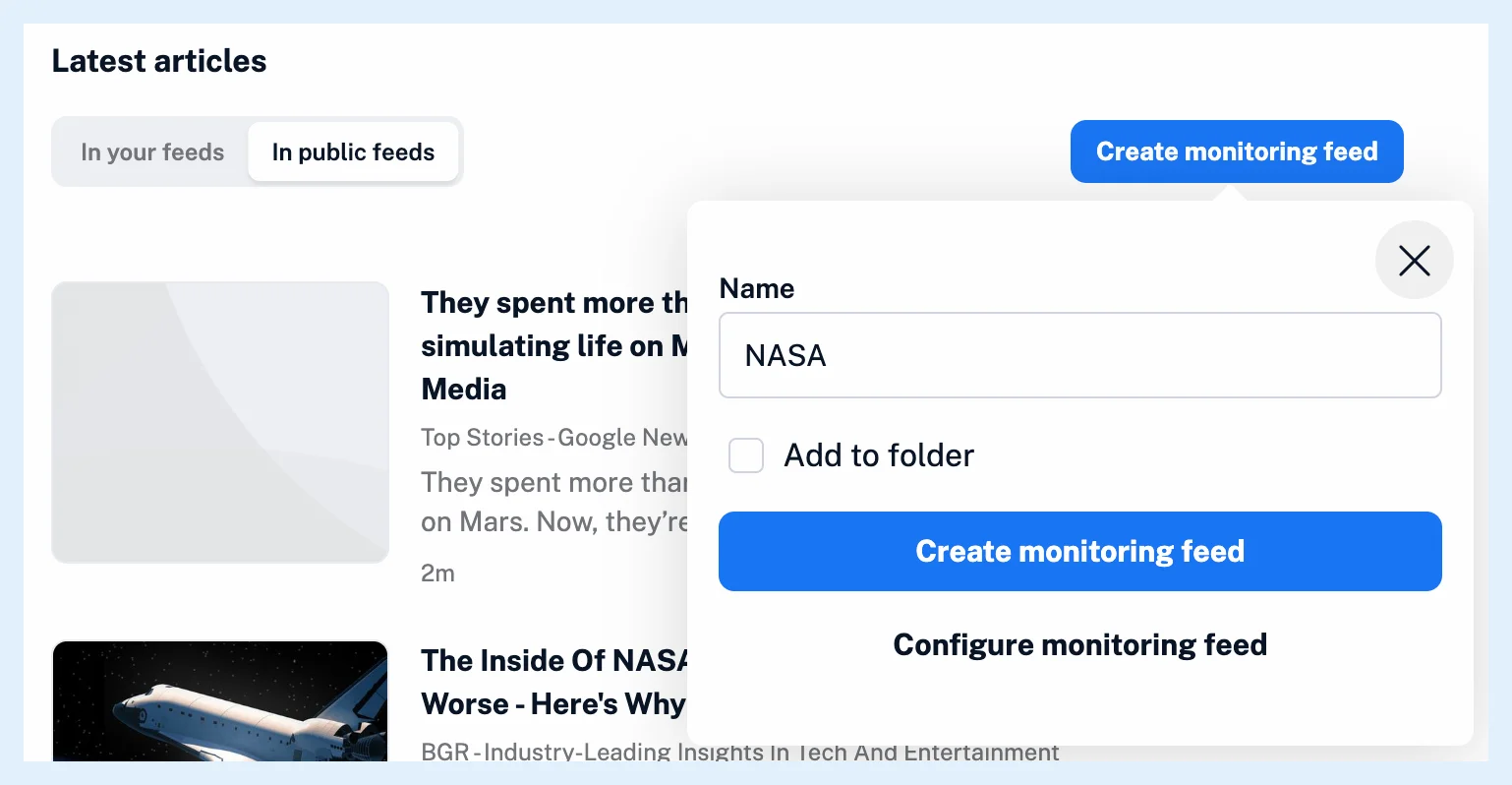
Yes. On the mention's page, click Create monitoring feed, keep or change the name and click Create monitoring feed again: the new feed collects every new article from public feeds that names the mention. To choose where it looks or to add more mentions and keywords, click Configure monitoring feed or the monitoring feed button in the mention's card, which open the monitoring feed builder with the mention already added.
Create the feed from the mention's page
- Open the mention's page with View details in its card, or by clicking its name.
- On the Coverage tab, click Create monitoring feed.
- Keep or change the Name, and tick Add to folder to file the feed in a folder.
- Click Create monitoring feed. To set the scope or add more terms first, click Configure monitoring feed instead.
Add to folder reveals a Folder field where you pick an existing folder or choose Assign to new folder and type a Folder name. On save, the feed opens with up to 100 matching articles and takes its place in the sidebar, or in the folder you chose.
Set the scope and add more terms
Configure monitoring feed, like the button in the card, opens the builder with the mention as its first item. Monitor in starts on your account, and you can switch it to All public feeds, a folder or a feed. In the builder, a mention is picked from Suggestions and combined with keywords and other mentions through + OR, + AND and − NOT. How do I create a monitoring feed? walks through the builder, and Can monitoring feeds track content beyond my account? explains the scopes.
The quick Create monitoring feed on the page searches public feeds, while the builder starts on your account, so check Monitor in before you save there.
The articles the feed collects
A mention matches the articles in which Inoreader recognized it, so only English, French or German articles from eligible feeds can appear in the feed. Why is my monitoring feed not finding the articles I expect? covers the other causes. For an alert on every new article, create a rule with the monitoring feed as its trigger and let it email or push each match.
Monitoring feeds are a Pro feature with 30 feeds included, Team plans include them, and Free has none. The mentions feature page shows an example.
Can't find an answer? Contact support