What are podcast and video enhancements?
They're three AI tabs under the player of a podcast episode or of a YouTube video from a channel you follow: Transcript, Topics and Article. Each is generated the first time someone opens the tab.
Where the tabs appear
When an episode's attachments include an .mp3, .wav, .ogg or .m4a file, Inoreader shows its own player above the show notes with the tabs Description, Transcript, Topics and Article under it. A video from a YouTube channel or playlist feed gets the same four tabs under its player. Can I follow podcasts in Inoreader? and Can I follow YouTube channels and playlists in Inoreader? explain how to follow them.
Use the tabs
- Open a podcast episode, or a video from a YouTube channel you follow, in the reading panel.
- Under the player, click Transcript, Topics or Article.
- Wait a moment the first time while it's generated.
- In Transcript or Topics, click a passage or a topic to jump to that moment.
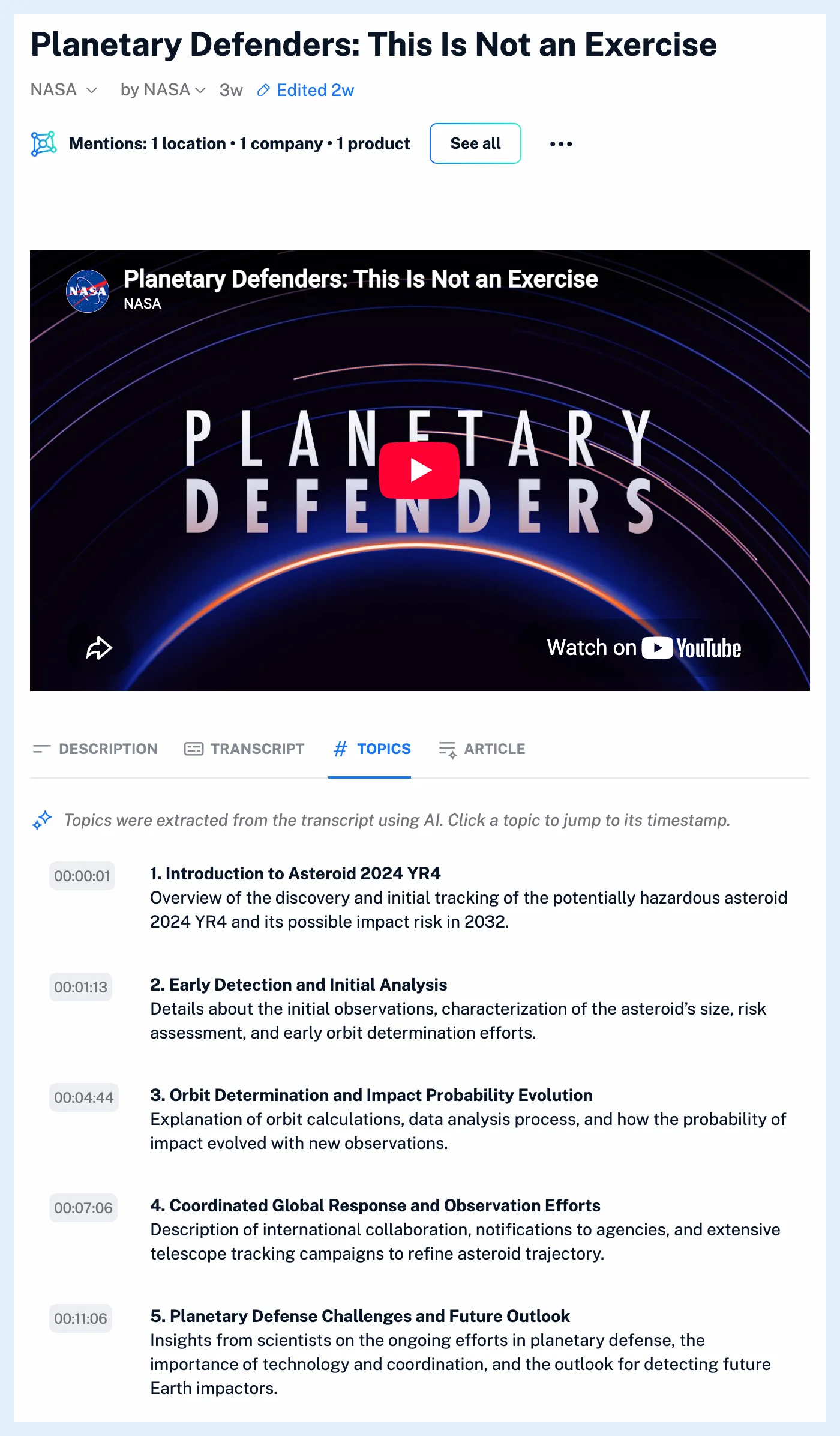
Transcript is the full spoken text. Topics are chapters with a timestamp, a short title and a description, about one per six minutes. Article is a written version of at most 300 words: a title, key points, a few sections on the episode's own themes and a conclusion.
How they're generated
The first click starts the work, and the tab updates by itself until it's ready. Topics and the Article are built from the transcript, so opening either also makes the transcript. Once anyone has generated a tab, it opens at once for everyone. YouTube transcripts are requested in your interface language with the video's own transcript as the fallback, and Topics and the Article are written in the transcript's language. When no transcript can be made, the tab says "Transcript unavailable".
Summarize on an episode or video summarizes its transcript, as What are article summaries? describes. The blog post Podcast and YouTube video updates introduced the tabs.
Plans
Following and listening are on every plan, and the three tabs are part of Pro. The transcript uses no Intelligence tokens, while Topics and Article count theirs toward the monthly tokens of the person who generates them. Are podcast and video enhancements available in all plans? has the details, and Listen to podcasts in your RSS reader shows the player.
Can't find an answer? Contact support