What are article summaries?
An article summary is an AI answer about the article you have open: a built-in summary such as General summary or Bullet list summary, a prompt you saved yourself, or a question you type. It appears in a card above the article's text and stays with the article in your account.
Summaries are part of Pro and use Intelligence tokens from the 1,000,000 that Pro includes every month. The blog post Inoreader Intelligence and article summaries are here introduced them.
The built-in summaries
The Summarize menu offers five built-in prompts. One sentence summary, the default, gives the core message in one clear, factual sentence. General summary lists the key points, main arguments, findings and conclusions. Bullet list summary gives the main takeaways as bullets. Objective vs. Opinion analysis separates the article's facts from the author's opinions. Simplified summary explains the article in simple language for a non-expert.
You can also type a question in Ask specific question or save your own prompts, as Can I use custom prompts with summaries? describes.
What the AI reads
The model works from the article alone: its title, source, author, date and text. It flags speculative or satirical content and declines unrelated questions. When a feed delivers fewer than 200 words, Inoreader loads the full article and uses it when it's at least twice as long.
Where the summary appears
Each summary is a card above the article text, newest first, with the prompt's name, Copy to clipboard, Delete summary and Was this helpful?. A typed question shows as Custom summary. In article lists, a summary icon next to the title shows the latest summary on hover.
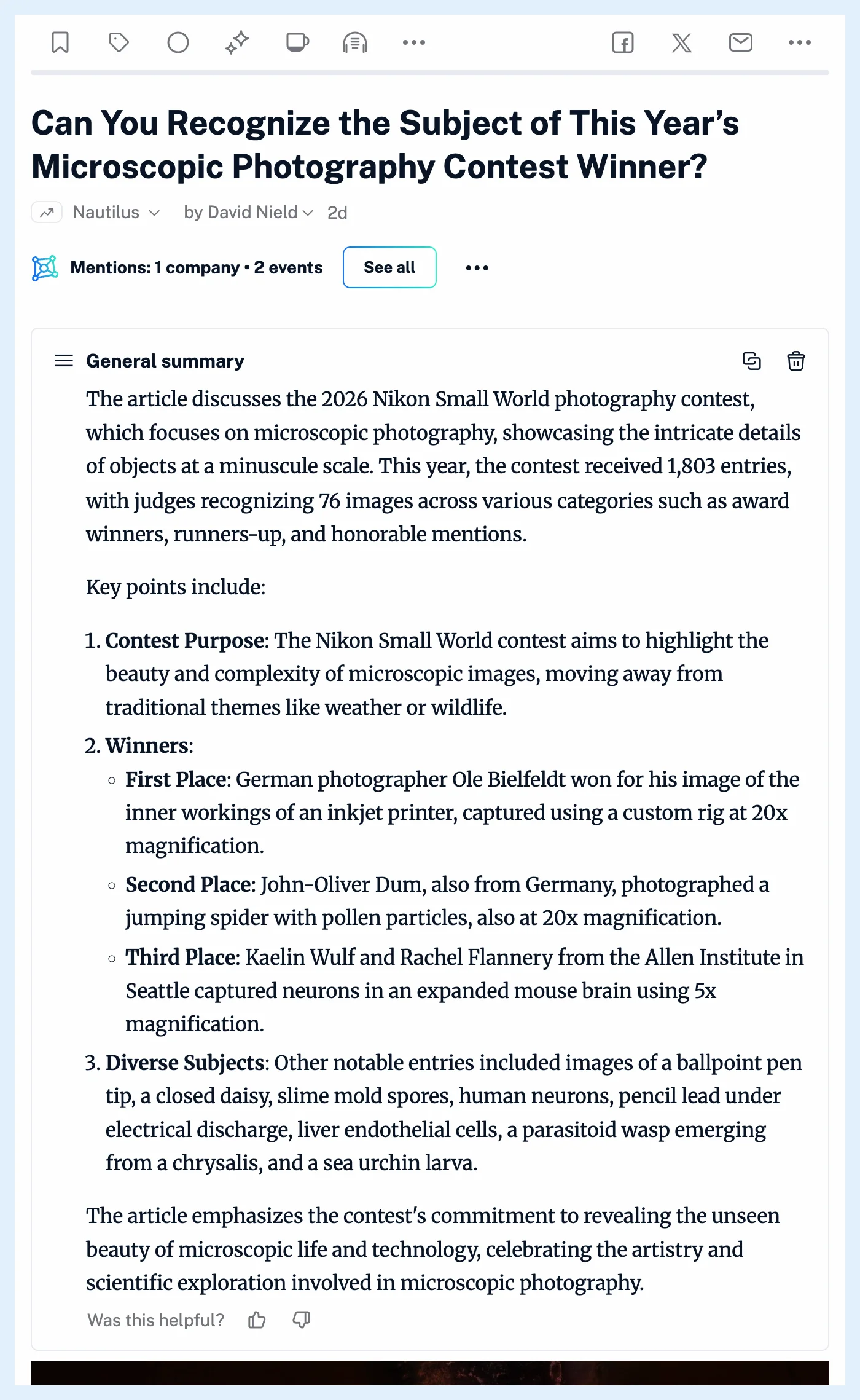
Summaries are personal and never shared with your team. Their text joins your personal search index, so a search in your account finds the article by words in its summaries. The same prompt runs once per article, and a rule with the action Create summary can summarize new articles for you.
Plans
Summaries are part of Pro, which includes 1,000,000 Intelligence tokens a month, and Free and Supporter accounts don't have them, as Are article summaries available in all plans? explains. How do I generate a summary? walks through making one, and the Intelligence feature page shows the whole set. For a report over many articles at once, see What are Intelligence reports?.
Can't find an answer? Contact support