Follow along with text-to-speech and narration tracking
Listening to articles in Inoreader is a convenient way to catch up on your reading while commuting, exercising, or simply giving your eyes a break. But if you want to follow the text at the same time, it can be easy to lose your place.
That’s why we’re introducing narration tracking in Inoreader.
As text-to-speech reads an article aloud, narration tracking visually marks the line currently being spoken. The marker moves through the article with the narration, making it easy to follow the text and keep your place.
Move easily between listening and reading
Narration tracking keeps the audio and written article in sync, helping you switch naturally between listening and reading. You can follow the text as it’s read, glance at the article when something catches your attention, or start reading from the current passage without searching for it on the page.

If your attention drifts or you’re interrupted, the visual marker makes it easy to find your place and continue from where you left off.
Stay focused on longer reads
Seeing the current line while hearing it spoken gives you an additional point of focus. Instead of searching the page for the sentence being read, you always know where to look.
This can be especially useful for long-form articles, detailed reports, and other content that requires closer attention. By keeping your eyes and ears aligned, narration tracking can help you stay engaged and work through complex information more comfortably.
Read in another language
Narration tracking can also support reading in a non-native language. Seeing each sentence as you hear it helps connect written words with their pronunciation while making the structure and meaning of the text easier to follow.
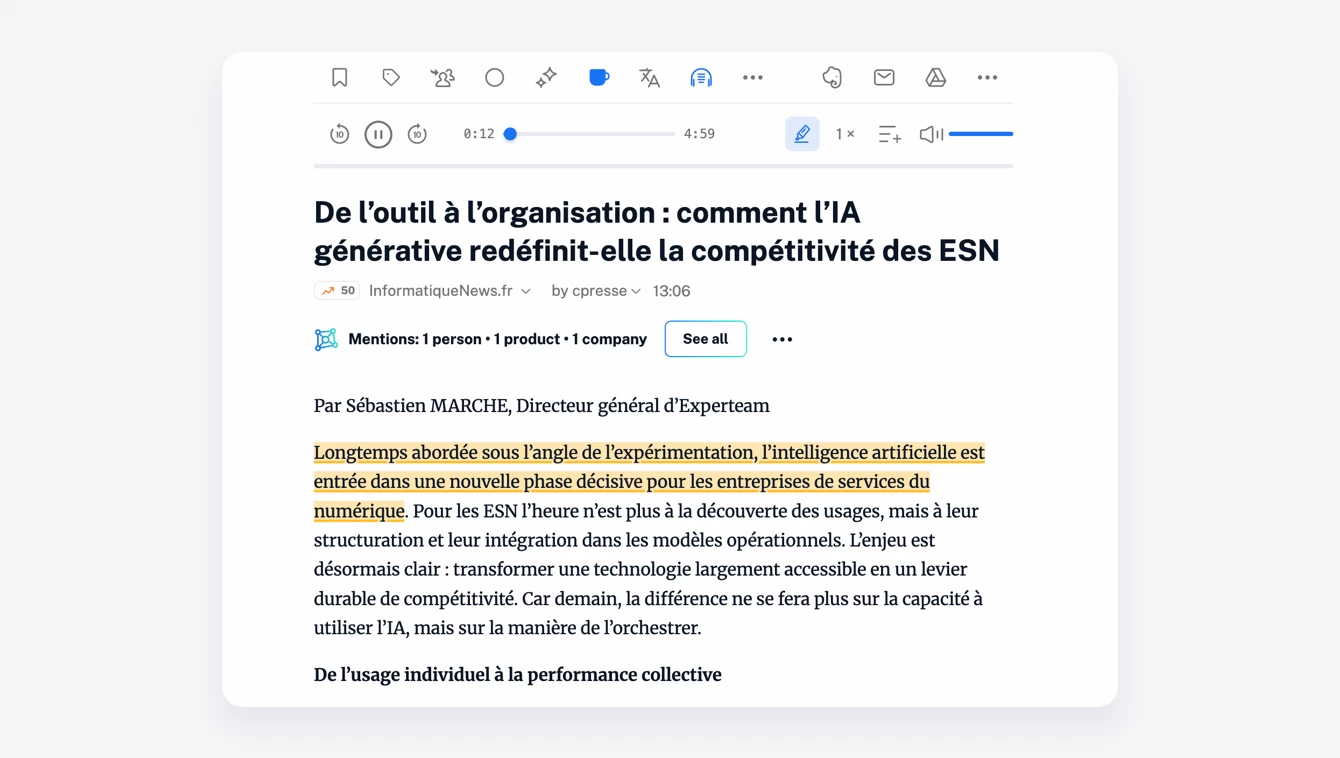
It can help you work through unfamiliar vocabulary, identify words that may be difficult to recognize by sound alone, and feel more confident exploring content from international sources.
A more accessible listening experience
Combining spoken audio with a clear visual guide can make articles easier to follow for people with different reading needs and preferences. Narration tracking may be particularly helpful for some readers with dyslexia or attention-related difficulties who find it challenging to keep their place in a block of text.
More broadly, it gives everyone greater flexibility in how they engage with an article – by listening, reading, or combining the two.
Available wherever you read
Narration tracking is available on the web and in our mobile apps starting with version 7.10. It’s enabled by default whenever you play an article using text-to-speech, so you don’t need to set anything up.
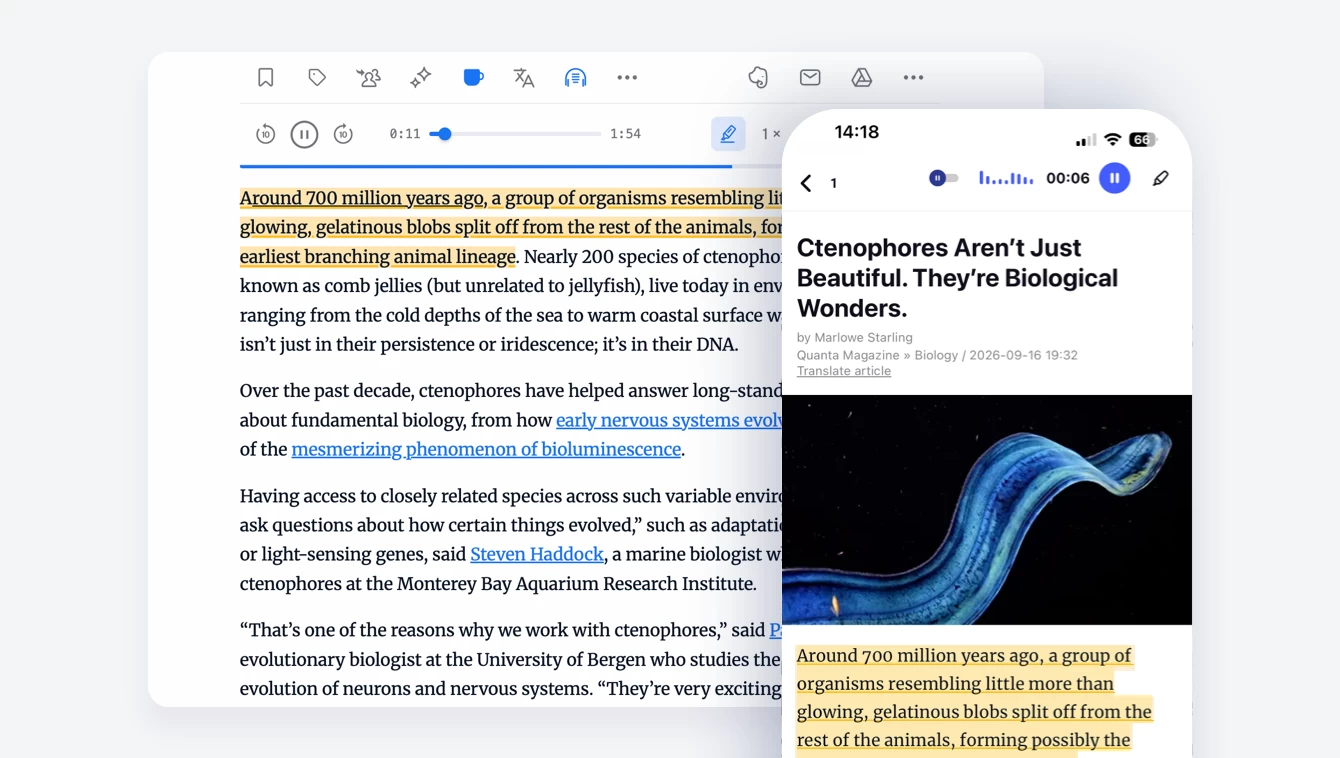
Prefer to listen without the visual marker? Select the Narration tracking button in the article audio player to turn it off. You can turn it back on from the same place anytime.
Improving text-to-speech
We’re continuously improving text-to-speech in Inoreader through faster processing, greater stability, new language models, and ongoing refinements to existing ones.
Language-specific feedback is particularly valuable as we continue this work. If you have thoughts on the listening experience in a particular language, we’d love to hear from you!
Start listening today
Whether you’re exploring a long-form story, reading in another language, or looking for a little extra help staying focused, narration tracking makes it easier to follow articles from beginning to end.
Text-to-speech and narration tracking are available on all Inoreader plans, with usage limits varying by plan. Open an article, start listening, and try narration tracking today!