What are Intelligence reports?
An Intelligence report is an AI-written analysis of several articles at once. You select up to 50 articles, run a built-in or your own prompt on them and save the result as a new article under Saved > Intelligence reports, together with the list of articles it used.
A report reads a whole set of articles, where article summaries cover one article at a time. Automated reports do the same work on a schedule from one source.
The contents of a report
The AI gets each article's title, source site, address, author, date and text, and it answers from those articles alone. It's told to flag speculative, misleading or satirical content and to decline questions unrelated to the articles. The result is formatted text with headings, lists and tables, and the AI proposes a title that fills Report title. Every report ends with Articles used:, each title linked to its source, and a note that it was generated with AI. Articles whose publisher has declined AI features are left out.
Create and save a report
Reports start from the bulk actions bar: select the articles and click Create Intelligence report. In the Prompt assistant, click a prompt or type your own request, click Generate, then click Save report. How do I create an Intelligence report? walks through every step.
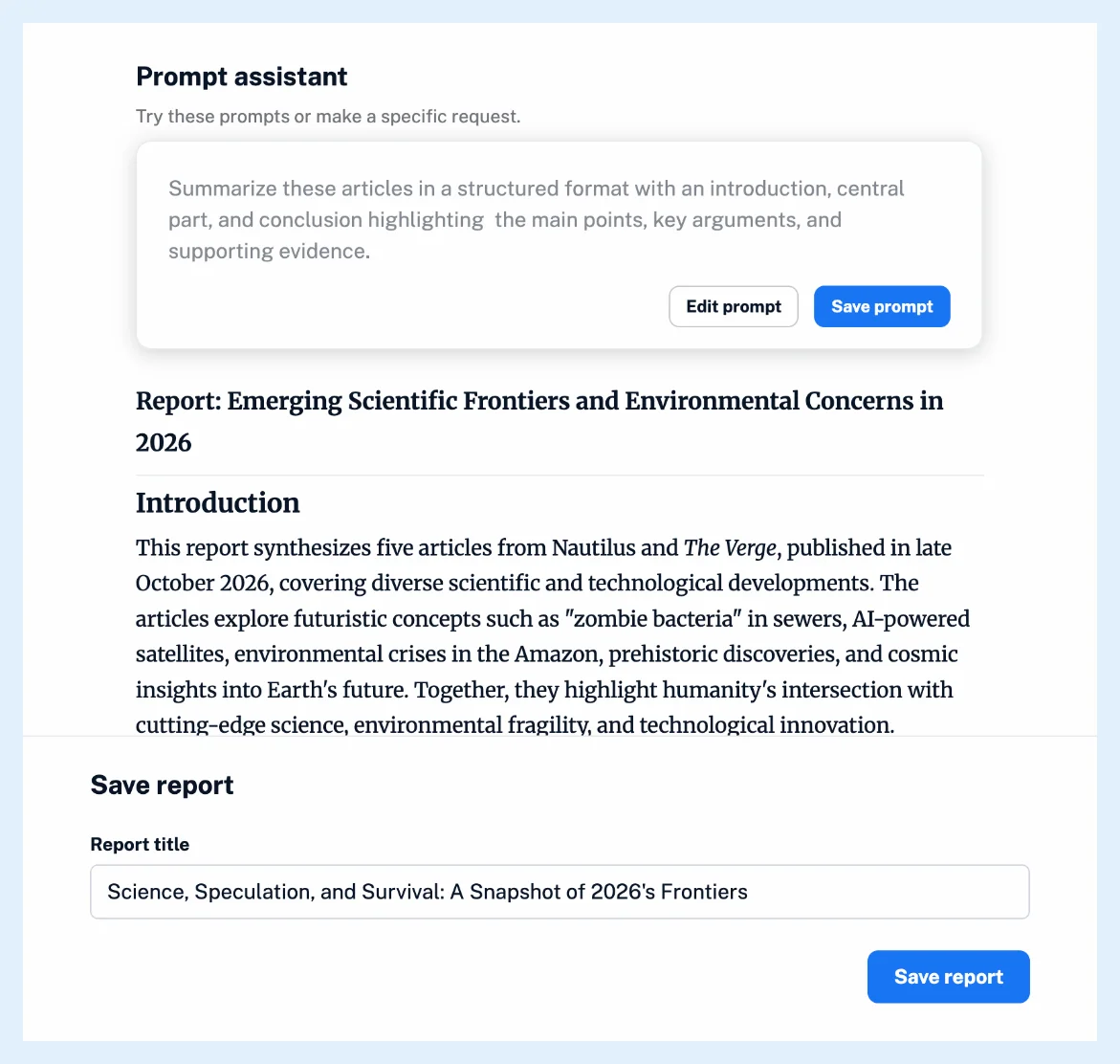
A report you generate without clicking Save report isn't kept.
Choose the language and the AI platform
Go to Preferences > Intelligence > Intelligence reports and set Default language to Let Inoreader decide or Always use my Inoreader interface language, the default. Reports run on your account's AI platform, OpenAI, Mistral or Claude, and use Intelligence tokens unless you use your own API key.
Run reports on a schedule
Automate > Automated reports runs a daily or weekly report from one source, such as a monitoring feed, and saves each run under Saved > Intelligence reports. See what automated reports are and the introduction of Intelligence reports on the blog.
Plans and limits
Intelligence reports come with the Intelligence reports add-on on Pro and Custom plans, or with a Team Intelligence plan, as Are Intelligence reports available in all plans? explains.
Can't find an answer? Contact support