How do Intelligence limits work in Teams?
It depends on whether your Team has a shared pool. With a pool, the whole Team shares 5 million Intelligence tokens a month on 3- and 5-member plans and 10 million on larger plans. Without a pool, each member of a Team Intelligence plan has 6 million tokens a month and each member of a Team plan has Pro's 1 million. Usage resets on the 1st of each month.
Teams with a shared pool
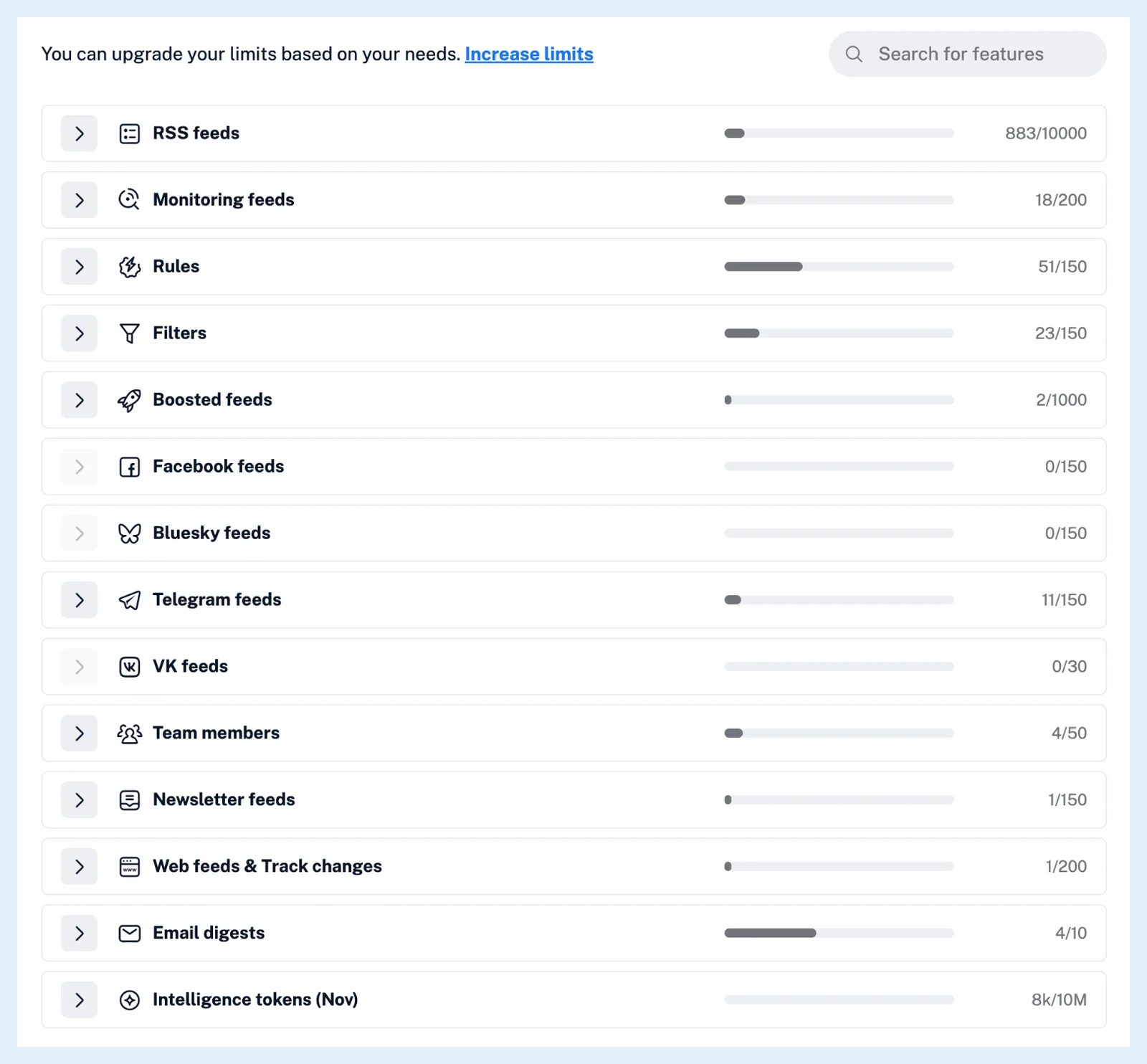
Every Team plan bought since 28 April 2026 comes with a pool, and older Teams can ask to switch, as the blog post Introducing shared feature pools for Inoreader Teams explains. Team 3, Team 5, Team Intelligence 3 and Team Intelligence 5 share 5 million tokens a month, and Team 10, 20, 50 and 100 and Team Intelligence 10, 20 and 50 share 10 million. The pool is every member's limit, and usage is the sum of all members' tokens since the 1st of the month. How do shared feature pools work? covers the other pooled features.
Teams without a pool
Each member has their own monthly limit: 6 million tokens on a Team Intelligence plan and 1 million on a Team plan, the same as Pro. How many Intelligence tokens are included in the Pro plan? explains the Pro allowance.
What uses tokens
The same features as on Pro: summaries and questions about an article, rules that summarize, AI summaries in digests, Intelligence reports and podcast and video enhancements. On the Team's own API key or a member's own key, Intelligence reports and automated reports don't count, while article summaries still do.
When the tokens run low
When 90% of a pool is used, every member gets the notification "You've used most of your Intelligence tokens." and the owner and admins also get an email. When the limit is used up, Summarize says "You have used all of your Intelligence tokens!" and rules that summarize skip articles until the 1st. With a pool, the Team's usage is under Manage Team > Billing > Usage, in the Intelligence tokens row, which lists each member's part, as How can I track my Team’s usage? shows. Without a pool, your own Billing and usage > Usage has it.
Plans
The amounts above apply to the Team and Team Intelligence plans, with a pool or per member. The feature page Intelligence has an overview.
Can't find an answer? Contact support