What are rules?
A rule is an automation that acts on new articles for you. When an article matches the rule's conditions, Inoreader performs its actions, whether you're reading or not.
A rule can tag articles that mention a product, email you a competitor's news or notify your phone the moment a match arrives.
The parts of a rule
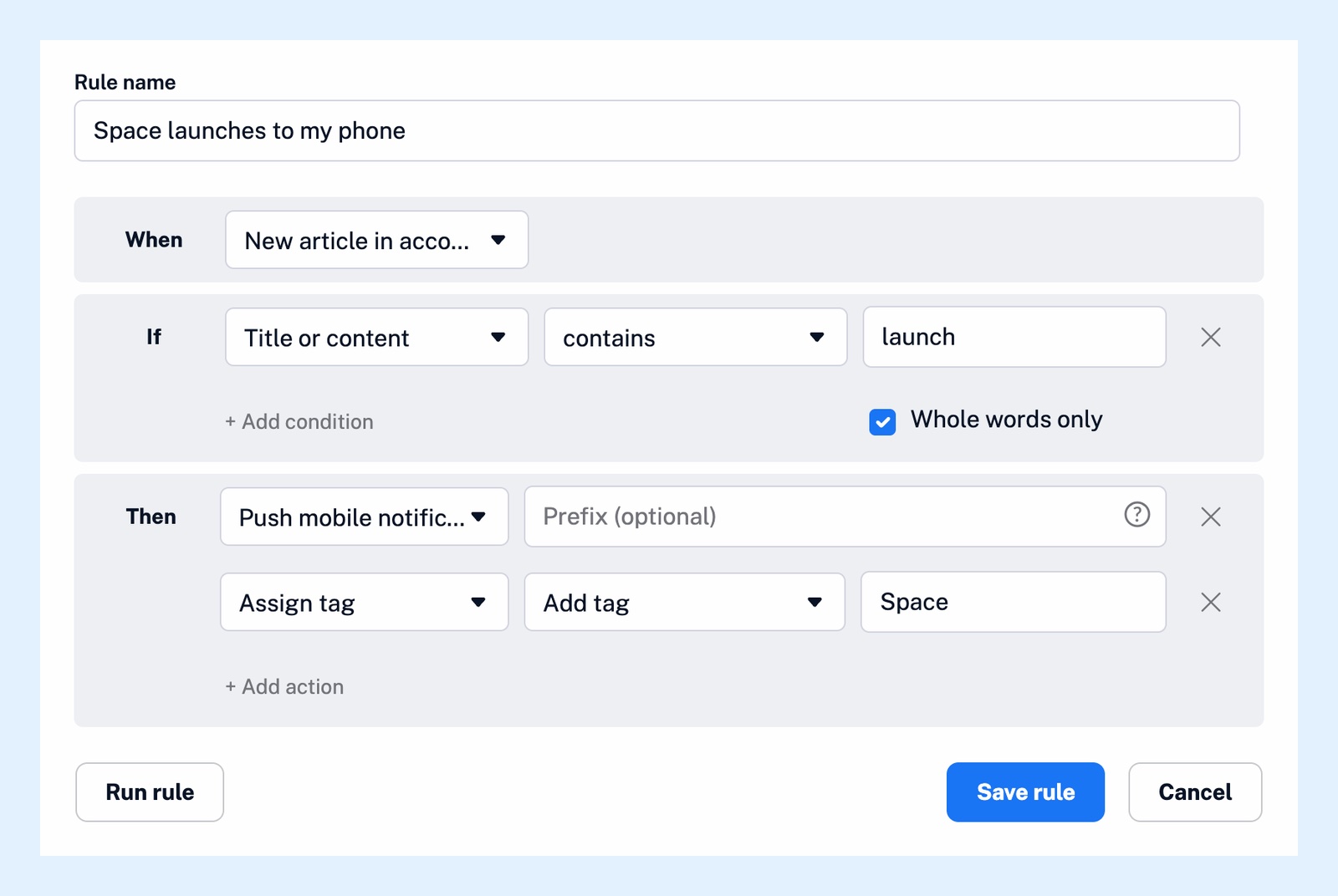
The trigger, set under When, is what the rule watches: a feed, a folder or your whole account. The conditions, set under If, narrow the matches down, for example to a word in the title or content. The actions, set under Then, are what Inoreader does with each match, and one rule can have several. See what can trigger a rule, what conditions rules can use and what actions rules can perform.
A filter is a separate feature: it removes articles, either duplicates or the ones matching its conditions, while a rule acts on them. See the difference between a rule and a filter.
Create a rule
- Go to Automate > Rules.
- Click Create rule and enter a Rule name.
- Under When, pick a trigger such as New article in account, New article in folder or New article in feed.
- Under If, click + Add condition and choose the field, the match type and the text. Select Whole words only so that "launch" doesn't match "launcher".
- Under Then, click + Add action and pick one, such as Assign tag, Send to email, Push mobile notification or Translate article.
- Click Save rule.
Run a rule on existing articles
Run rule applies the rule to the latest 1,000 articles from its sources right away and performs the actions on every match. It works for rules triggered by the account, a folder or a feed, and it saves the rule first. Can I test a rule before saving it? explains how to try a rule safely.
Run rule isn't a preview. Check a rule that sends email or notifications, or saves to another service, before you run it.
Chain rules
Actions run independently, not always in the order you listed them. For something that must happen after a rule has completed, create a second rule with the trigger Another rule matched.
Plans and limits
Rules are a Pro feature: Pro includes 30, with more as an add-on, and a Team with a shared pool shares its rule limit across the team.
Can't find an answer? Contact support