How do I create a team and invite members?
A Team comes with a Team plan. Buy one on the Enterprise tab of the pricing page, then click Team in the tab bar and Inoreader creates the Team with you as its owner. Invite people from Manage Team > Members with Send invite and Save.
Create the Team
- Buy a Team plan: click your avatar at the bottom of the tab bar, choose Plans and open the Enterprise tab, or use the pricing page.
- Click Team in the tab bar. Inoreader creates the Team and opens its dashboard.
- To rename it, open Manage Team > Organization, edit Name and Description and click Save.
The Team is named after you or your company, and you are its owner. Team plans come with 3, 5, 10, 20, 50 or 100 seats, your own included. To try the Team features first, contact us and we'll set up a test drive.
Invite members
- Open Manage Team under the Team's name in the sidebar, then Members.
- Type the address in Email address and click Send invite, or press Enter. Repeat for each person.
- Click Save. Nothing is sent before that.
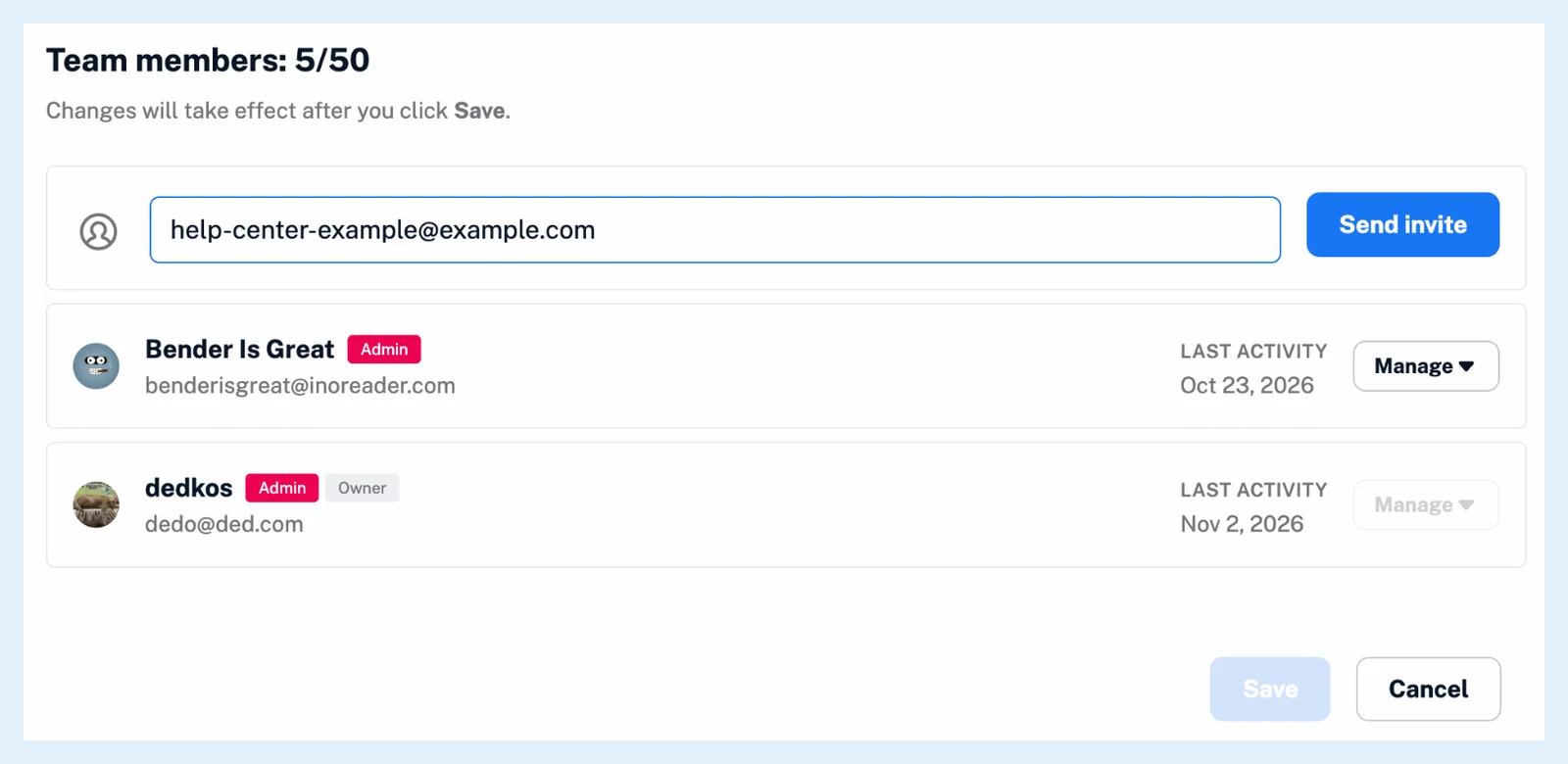
Each person receives an email with a Join the Team button. Someone with an Inoreader account also sees the invitation in Inoreader, with Join Team and Decline, and someone without one signs up with that address and joins at once. Every invitation carries the Member role, which you can change once the person has joined, as How do I remove a member or change their role? explains.
An account can belong to one Team only, so a person who is already in another Team can't accept your invitation.
Manage pending invitations
A saved invitation shows the address with Send again, Copy invite link and Cancel invite. The link is personal to that address and doesn't expire. Pending invitations count toward the seats, and a full Team shows "All 5 spots in your Team are now filled" in place of the field.
When someone joins, you get a notification, the join appears under Team > Activity and the new member gets all Pro features with the Team tags and folders, as What should I do when I join a Team? and What features do I get as a Team member? describe.
Teams come with the Team and Team Intelligence plans, and every member gets all Pro features on top.
Can't find an answer? Contact support