Why is my newsletter not arriving?
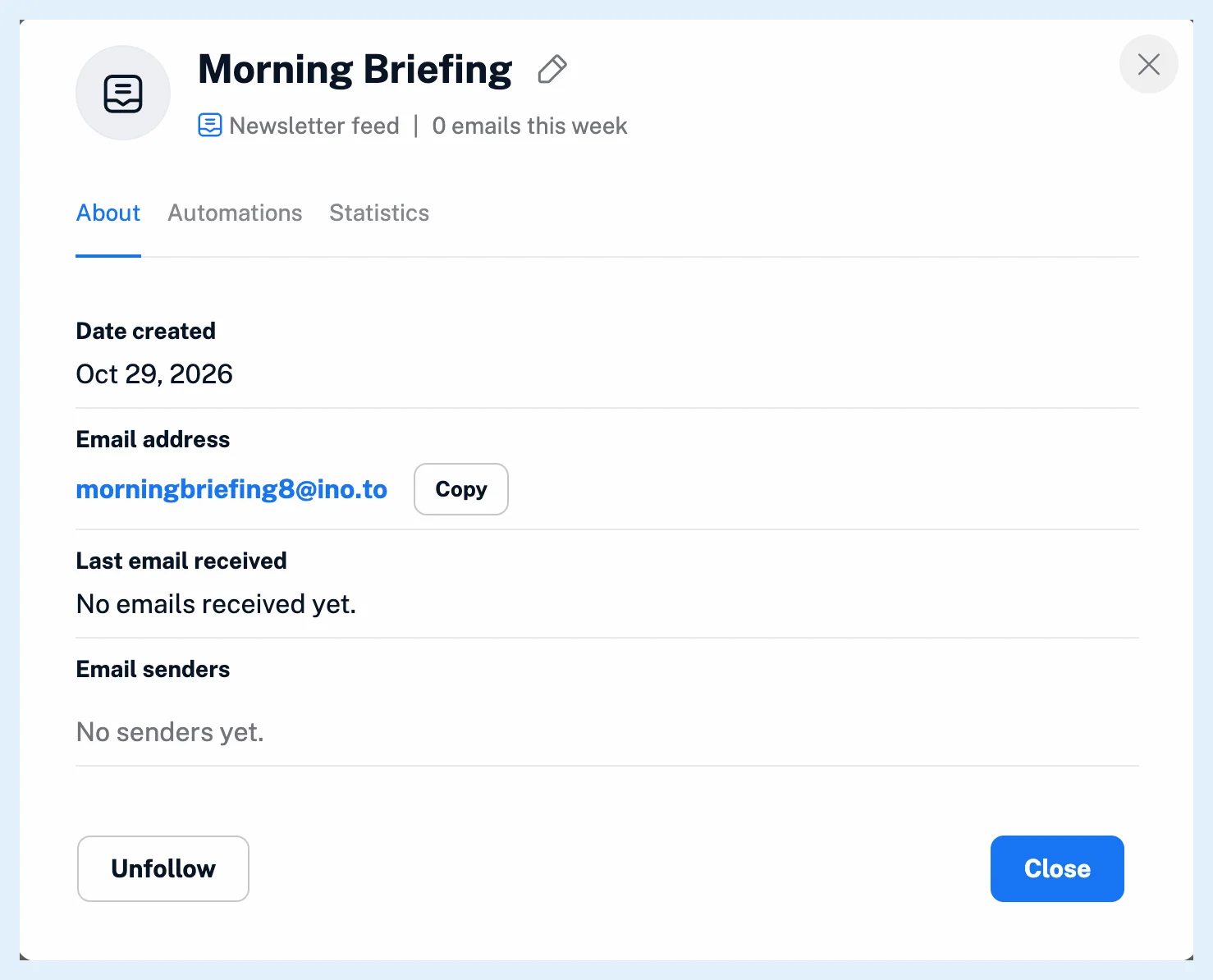
Inoreader saves every email sent to a newsletter feed's address, so a missing issue usually means the sender has a different address, the subscription still waits for your confirmation, you no longer follow the feed, or your plan's newsletter limit switched the feed off. Feed properties shows the address, the last email received and the senders.
Check the feed
- Right-click the newsletter feed and open Feed properties. Compare the Email address with the one the newsletter or your forwarding rule uses: a single wrong character is a different address.
- Check Last email received and Email senders to see whether anything has arrived.
- Look in the feed for a confirmation email from the newsletter or from your email provider, and confirm from it.
- If the feed shows a warning that your plan's limit is reached, unfollow a newsletter feed you no longer need or upgrade.
- Check the feed's and its folder's filters.
- When nothing explains it, contact us from Support in the tab bar.
The usual causes
Most newsletters and email providers' forwarding settings first send a confirmation email. It arrives in the feed like any other email, and the subscription starts only after you confirm from there.
Over your plan's newsletter limit, the newest newsletter feeds beyond it are switched off and show "New emails will not be saved, because you have reached the maximum number of newsletter feeds for your plan." An account that moves to Free has every newsletter feed switched off. A switched-off feed comes back on by itself when you have room again.
An address whose feed you no longer follow, or whose feed is switched off, refuses mail with a bounce, and some senders then drop it from their list. What happens if I unfollow a newsletter feed? explains how to bring a feed back. A newsletter feed shared in a team folder receives mail only while the account that created it follows it. An email over 2 MB isn't saved. Inoreader emails you that it was too large. And a filter that removes matching articles hides matching emails as well.
Plans and limits
Newsletter feeds are a Pro feature: Pro includes 20, and a Team with a shared pool shares 100 or 150 across the team. What are newsletter feeds? explains the feeds, and How do I subscribe to a newsletter with Inoreader? the setup.
Can't find an answer? Contact support