Can I receive reminders about saved articles?
Yes. Inoreader emails you a short reminder with up to three articles you saved to Read later at least three days ago, at most once a day and only while you use Inoreader. The reminder is on by default. Turn it off under Preferences > Account > Emails from Inoreader with the Read later checkbox, or with Unsubscribe in the email.
Turn reminders on or off
- Open Preferences (Alt + P) and click Account.
- Click the Emails from Inoreader tab.
- Tick or clear Read later, "Get reminders for articles you saved to read later."
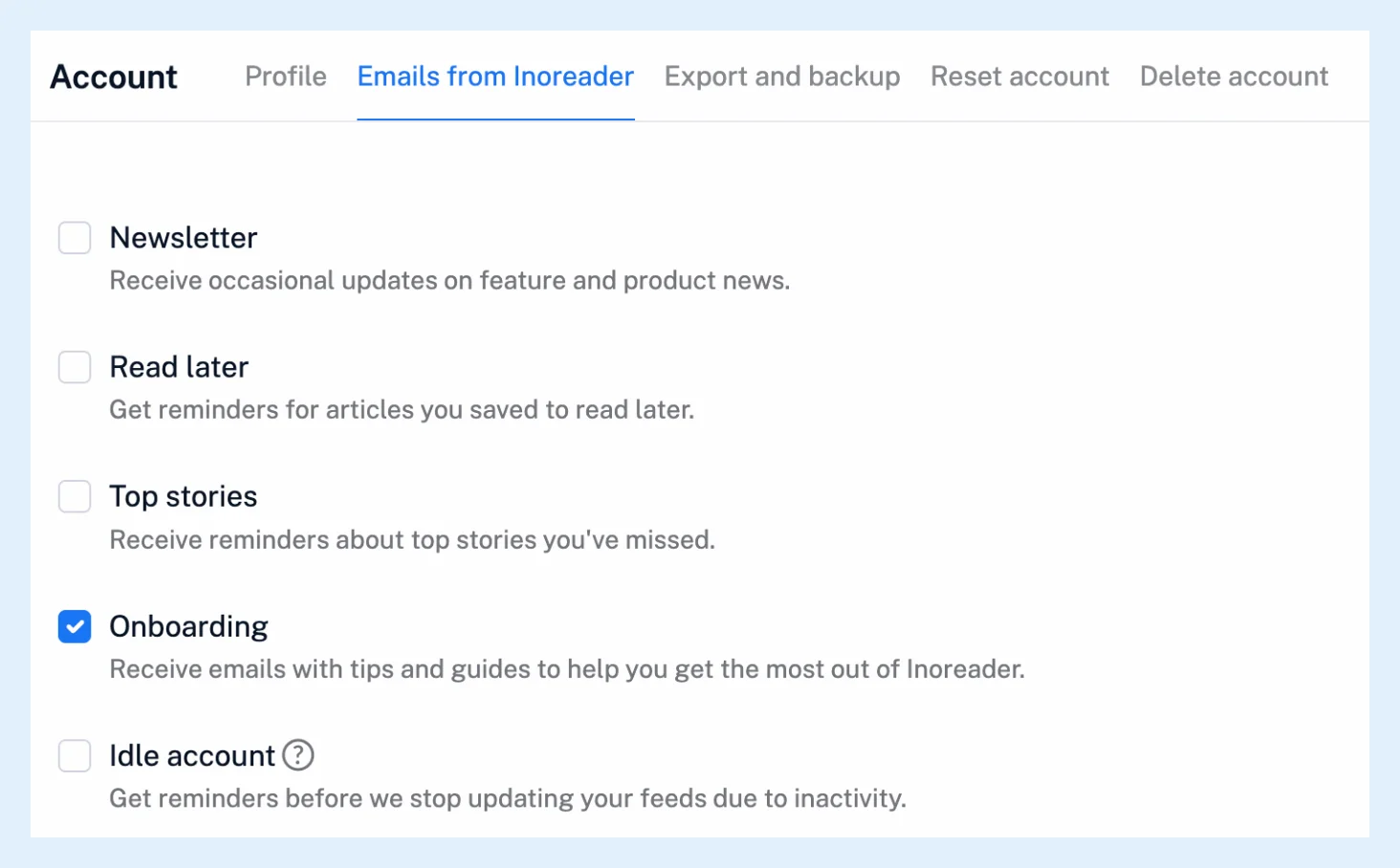
The same tab holds the other emails Inoreader sends you: Newsletter, Top stories, Onboarding and Idle account. The rest of your account settings sit under Preferences too.
The reminder email
The email, "Your recently saved articles in Inoreader", lists up to three articles, newest saved first, each with its picture, title, a short excerpt and the feed's name, followed by a Go to Read later button. Articles you already removed from Read later aren't included. The email is in English.
Reminder timing
You get a reminder when the setting is on, you used Inoreader in the last four days, and Read later holds articles saved between 3 and 30 days ago that came after the ones in your last reminder. Inoreader sends at most one reminder a day.
When nothing arrives, check that Read later holds articles saved 3 to 30 days ago and that you've used Inoreader in the last four days, then look in the spam folder and make sure your email address is confirmed. The steps for a missing password reset email apply to any email from Inoreader.
Unsubscribe from the email
Unsubscribe in the email's footer opens a page that asks you to confirm and then turns the same setting off. The page also offers to subscribe again. The unsubscribe option of your mail client uses the same switch.
Reminders on the phone
Each reminder also comes as a push notification to the Inoreader app when the matching notification setting in the app is on. On the web, the articles themselves wait in Read later, where you can continue reading where you left off.
Plans
Reminders work on every plan, like the rest of saving articles to read them when you have time.
Can't find an answer? Contact support