How do I create a spotlight?
Open Automate in the tab bar, choose Spotlights and click Create spotlight. Give the spotlight a name, pick a color, type the words or phrases it should color and click Save. The terms are colored in your open article lists at once.
Create the spotlight
- Click Automate in the tab bar, then Spotlights.
- Click Create spotlight.
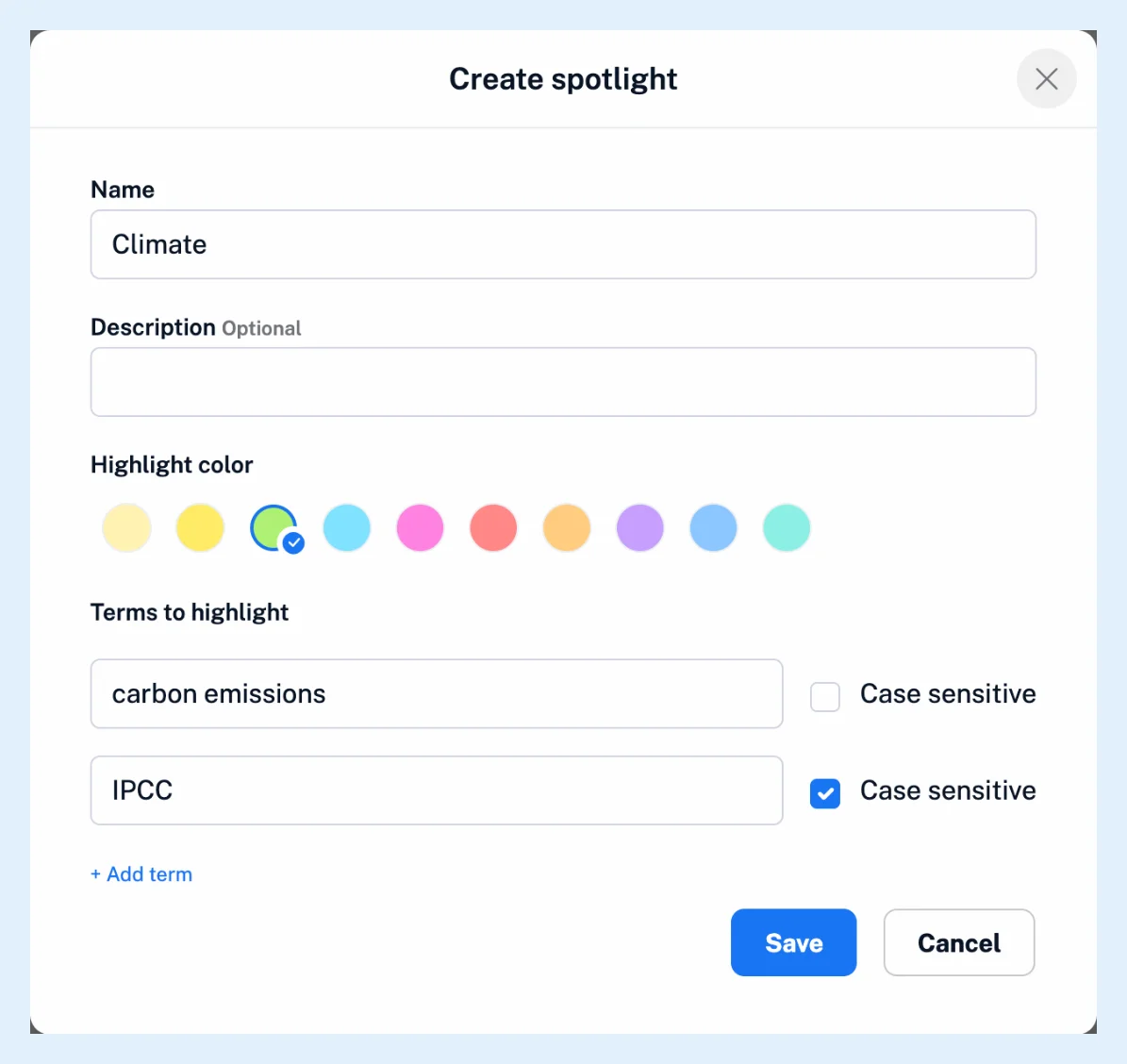
- Type a Name and, if you like, a Description.
- Pick a Highlight color from the ten swatches.
- Under Terms to highlight, type a word or phrase, and click + Add term for each further term.
- Tick Case sensitive on a term when capitalization matters, as it does for short names and acronyms that are also ordinary words.
- Click Save.
A spotlight needs a name and at least one term. Empty term rows are dropped when you save. Each term matches without regard to case unless you ticked Case sensitive, a one-word term matches whole words only, and a phrase matches wherever it appears in the text. What are spotlights? explains the matching in full, and What are spotlights useful for? suggests how to group your terms.
Edit a spotlight
The Spotlights page lists your spotlights with their Color, Name, Created date and Status. Click a spotlight's name or the arrow next to it to open its editor in place, change the description, the color or the terms, and click Save spotlight. The switch in the Status column turns a spotlight off and on, so you can pause one instead of deleting it. The three-dot menu of a row offers Edit spotlight and Delete spotlight, and the Bulk actions icon in the header shows checkboxes so you can Activate, Deactivate or Delete several spotlights at once.
Plans and limits
Spotlights are free on every plan with no limit on their number. On a Team plan, a Team admin can also tick Make visible to Team members in the dialog or choose Share with Team in a row's menu, and the Team spotlight then applies to every member. The feature page Make the names you care about stand out and the video show the result.
Can't find an answer? Contact support