How do I create an Intelligence report?
Select the articles with Bulk actions, click Create Intelligence report, pick or type a prompt and click Generate. Give the report a name and click Save report to keep it under Saved > Intelligence reports.
Select the articles and generate the report
- Open a feed, folder or tag in List, Card or Magazine view.
- Click Bulk actions in the article list header and select the articles, up to 50.
- Click Create Intelligence report in the bar at the top.
- In the Prompt assistant, click a prompt or type your request in the box.
- Click Generate and read the report.
- Edit the name if you like and click Save report.
In Column view and on phones, select mode is Enable select mode in the ⋯ menu. How do I use bulk actions? has the details.
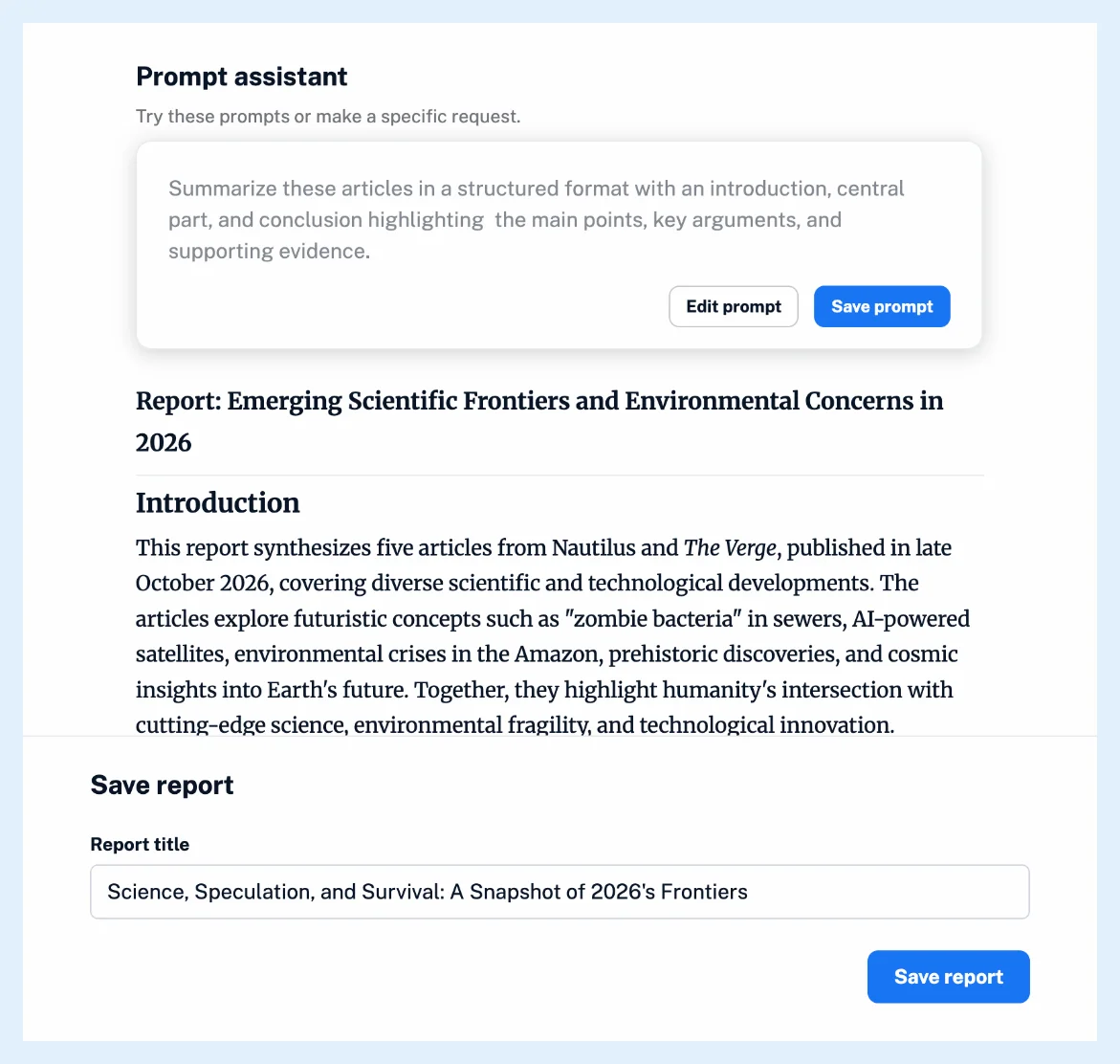
Refine the prompt
Clicking a prompt copies its text into the box, where you can edit it before you generate. After a report the prompt is locked: Edit prompt reopens it, and you can Generate again or Cancel prompt editing. Save prompt stores it under a Name for the Prompt assistant. Under Preferences > Intelligence > Intelligence reports you choose which prompts the assistant shows with Show in Prompt assistant and add your own with Add custom prompt. The same tab sets Default language for reports, and a language you ask for in the prompt wins.
Each Generate uses Intelligence tokens unless you use your own API key, and articles whose publisher has declined AI features are skipped.
Save the report
Report title is filled with the AI's proposed title. Team members also see Make visible to Team members. After saving, View report opens Saved > Intelligence reports and Create another starts a new report from the same articles. Where can I find saved Intelligence reports? shows where they live.
Closing the dialog without Save report keeps nothing.
For the same prompt every day or week, create an automated report instead.
Plans and limits
Saving Intelligence reports needs the Intelligence reports add-on on Pro and Custom plans or a Team Intelligence plan, and Pro without it can generate three reports to try with Save report disabled. See Are Intelligence reports available in all plans?
Can't find an answer? Contact support