How do I connect a service?
Click the gear at the bottom of the tab bar, open Share, save, login and its Save tab, and click Connect next to the service. Most services send you to their own sign-in page to allow Inoreader and bring you back, while Instapaper and Readwise are connected in the row itself.
Connect the service
- Click the gear at the bottom of the tab bar and choose Share, save, login, then the Save tab.
- Click Connect next to the service.
- For Raindrop.io, Evernote, OneNote, Dropbox and Google Drive, sign in on the service's page and allow access. Inoreader opens again and confirms with a message such as "You have successfully integrated with Evernote!". For an Evernote China account, click Connect with 印象笔记 (Evernote China) instead.
- For Instapaper, type your Instapaper username and Instapaper password in the row and click Connect. Inoreader doesn't store your credentials.
- For Readwise, paste the token from readwise.io/access_token into Readwise access token and click Connect. The Readwise integration post explains what it syncs.
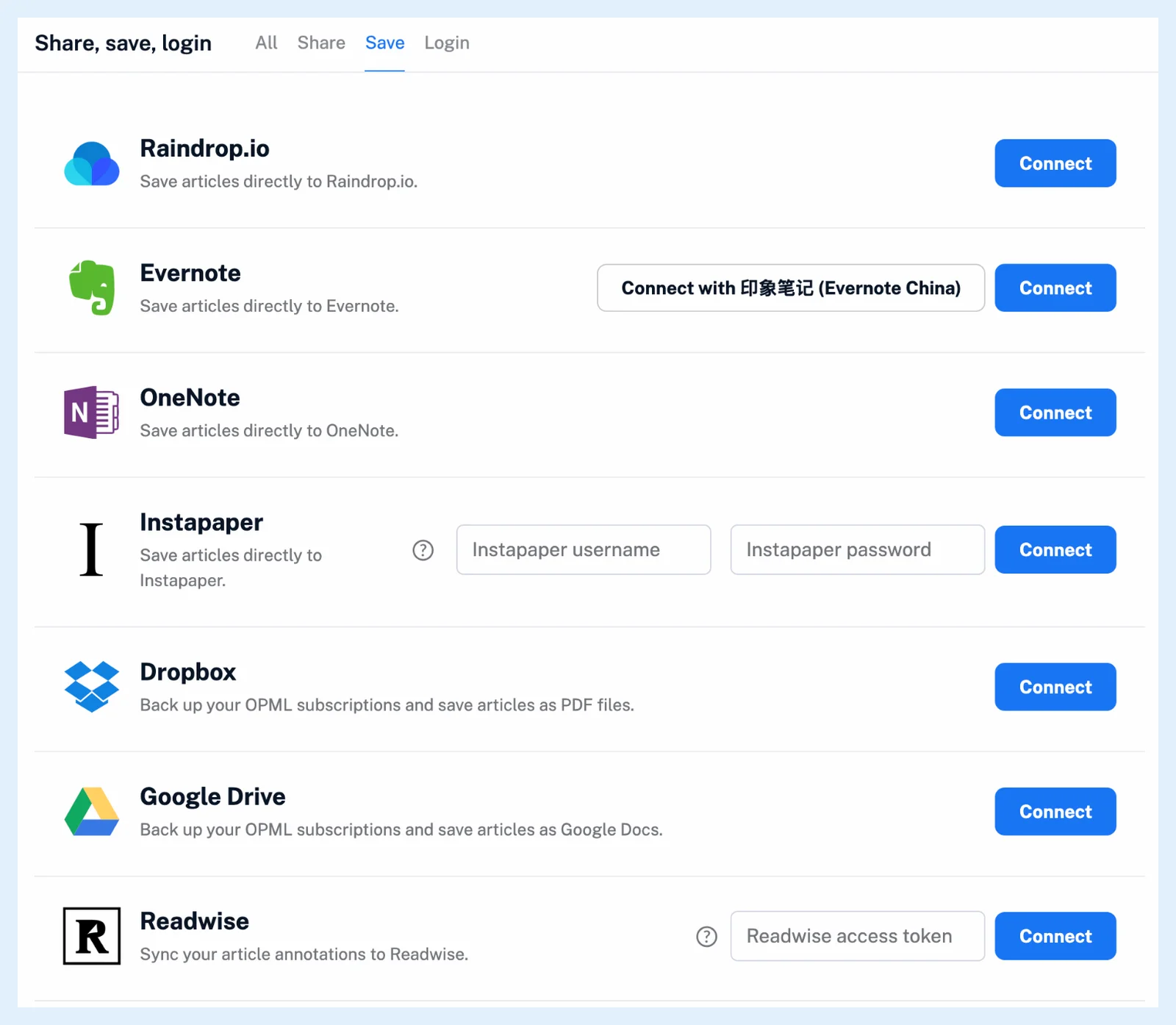
Google Drive asks only for access to the files Inoreader creates. If you refuse on the service's page, Inoreader reports that the integration failed, and you can click Connect again.
Set the options
A connected row says "You are connected to your Evernote account." and offers Edit, Reconnect and Disconnect. Edit opens the service's options: the default notebook, section or folder, the tag transfer, the Pro option to fetch the full content before saving and the advanced menu on the button. Where can I manage my integrations? covers reconnecting and disconnecting.
Save your first article
Open an article and click the service's button in the article toolbar, above the text. Evernote also answers to the hotkey Z, OneNote to X and Instapaper to I. Which services can I save articles to? says what each one receives.
You can also start from an article: clicking the sharing button of a service you haven't connected opens a Connect your Evernote account dialog, and a rule action for such a service shows the same button.
The Share and Login tabs hold the sources you follow and the accounts you sign in with, and Zapier, IFTTT and n8n are connected from those platforms, not here.
Connecting a service and saving to it by hand are free on every plan, while fetching the full content before saving and saving with a rule are Pro.
Can't find an answer? Contact support