How can I create a weekly overview of a monitored topic?
Create a monitoring feed for the topic, then a weekly automated report on it. Every week it reads the newest articles from the feed and saves the overview under Saved > Intelligence reports.
Create the monitoring feed
Click Add feed in the tab bar, choose Monitoring feed, build the query, check the Preview, then click Create monitoring feed and Save feed. See How do I create a monitoring feed? and Watch any keyword, brand or topic across the web. If its articles aren't on topic, Why is my monitoring feed not finding the articles I expect? helps you adjust the query.
Set up the weekly report
- Go to Automate > Automated reports and click Create automated report.
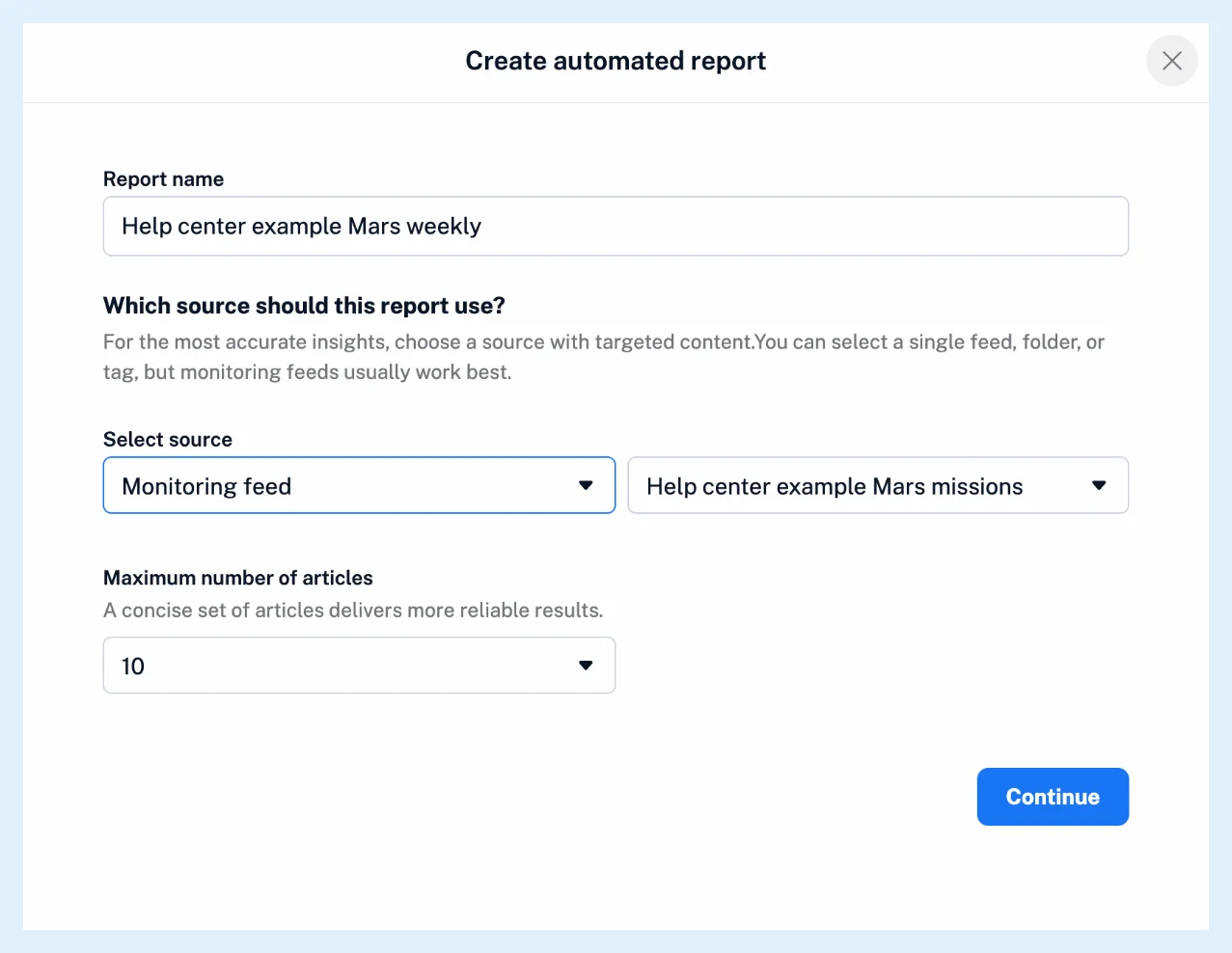
- Enter a Report name, choose Monitoring feed and your feed under Select source, set Maximum number of articles and click Continue.
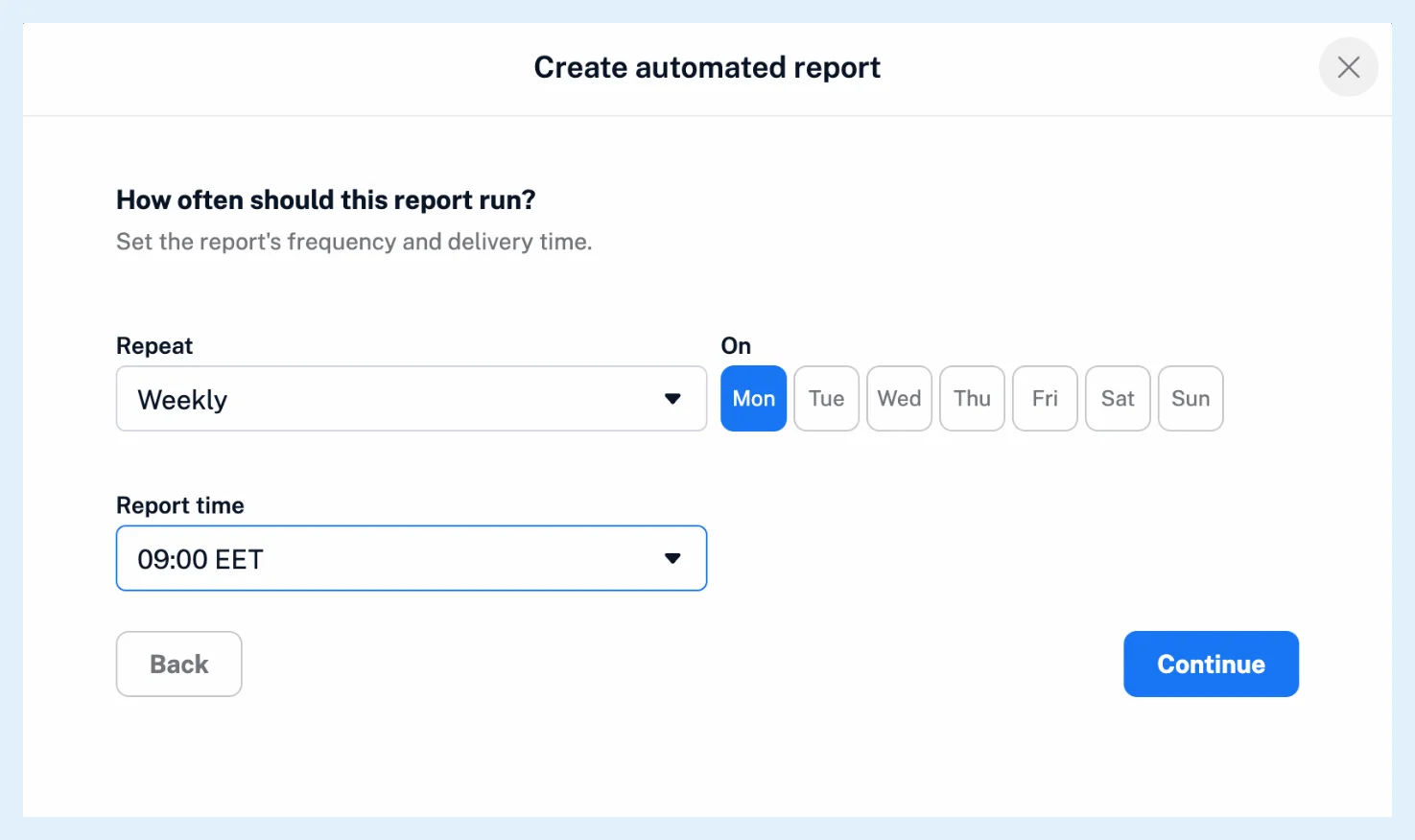
- Set Repeat to Weekly, pick the day under On and the Report time, and click Continue.
- Type a prompt such as "Summarize the main developments of the week and the recurring themes.", click See preview and then Continue.
- Choose the headline option and click Save automated report.
How do I create an automated report? covers every option, a daily overview included, and the blog post on automated reports introduces them.
Read the weekly reports
Each run reads the articles of the 7 days before it, newest first and up to the maximum, skipping articles an earlier issue used in the last 90 days. A week with no new matches is skipped, with an email to you the first time. Every report ends with Articles used:, linked to the articles.
When a week brings more new articles than the maximum, only the newest ones go into the report: narrow the monitoring feed or raise Maximum number of articles.
Each run uses Intelligence tokens. To get the overview by email, create a rule with the trigger New Intelligence report and the action Send to email, or a digest with the source Saved > Reports.
Plans and limits
Monitoring feeds are Pro, and automated Intelligence reports come with the Intelligence reports add-on on Pro and Custom plans or a Team Intelligence plan.
Can't find an answer? Contact support